Tools are the cornerstone of everything agents. The very definition of agent includes "the ability to use tools".
Analogy
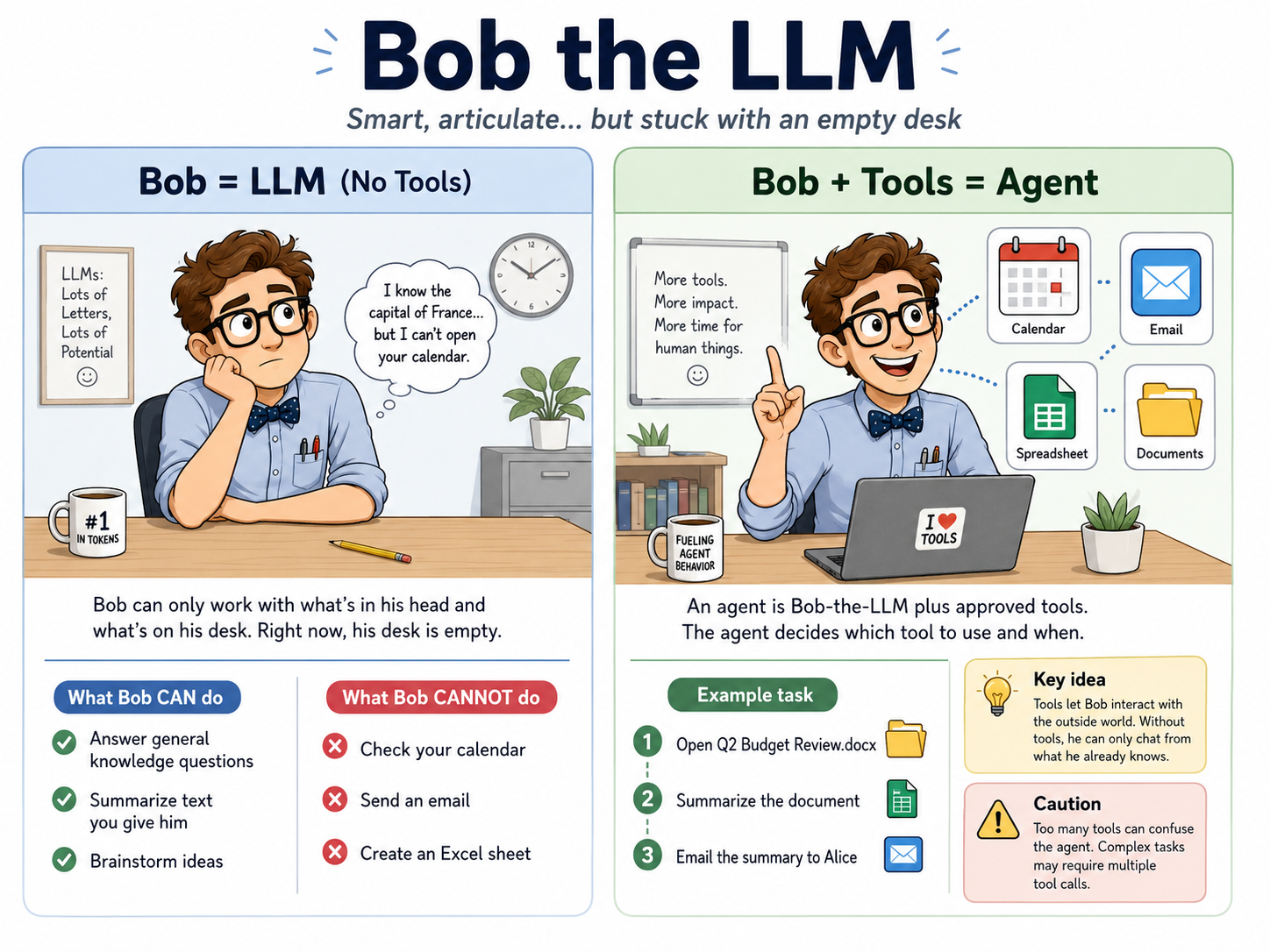
Bob is your new assistant sitting in an empty office. He is articulate and generally knowledgeable, but he can only work with what is in his head and what is placed on his desk, which is currently empty.
You can ask Bob general knowledge questions (e.g. What’s the capital of France), summarize a given piece of text, brainstorm ideas. Bob can do these tasks from what he already know.
But, Bob cannot e.g. check your calendar, send an email, or create excel sheets, because he has no access to those things (remember his desk is empty). This is analogous to an LLM without any tools. Useful for chatting, but cannot interact with the outside world.
Bob is not super useful if he has an empty desk -> only perform tasks based on knowledge in his head. Cannot interact with outside world, e.g. check calender.
To make Bob more useful, we give him access to specific tools. E.g. We can give Bob access to our calendar (the calendar tool). We can give him access to Excel. Now we have Bob-the-Agent, which is Bob-the-LLM + approved tools.
Key concepts
the agent decides which tools to invoke and when to invoke what tools, based on what we are asking it to do. More complex tasks may require multiple tool calls (“multi-turn”).
For instance, if we ask “Summarize Q2 Budget Review.docx in my google drive and send email to Alice”. The agent would need to
- Use the Google drive tool to extract the content of the file
- Summarize it (this step does not require tool call)
- Use email tool to send the summary to Alice
The agent CAN mess up this tool call process, and this is not uncommon especially in complex, multi-step tasks. although newer generations of LLM models are getting better and better at picking the right tools to solve the task. For example, if we give the agent too many tools (e.g. 100 tools), the agent is likely to be unable to pick the right tool.
Practical example: ChatGPT
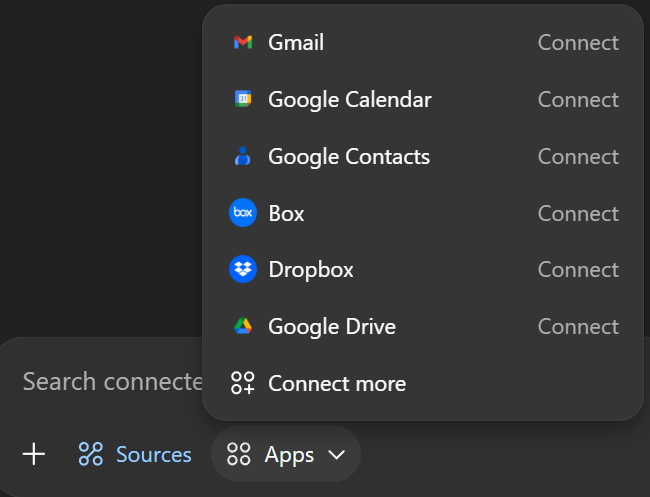
ChatGPT Sources allows ChatGPT to connect to different systems. This is implemented using tools.
You can give ChatGPT access to your e.g. Gmail through this.
What you can ignore for now
For practical understanding, you do NOT need to know how to implement your own custom tools or exactly what happens underneath when LLMs make tool calls. If you are interested, take a look at this OpenAI guide and this.